

This post discusses the Token-Mediating Backend (TMB) authentication architecture for OAuth 2 applications. It covers how secure TMB is, when to use it, and how to implement it.
This is part two of a three-part series on OAuth architectures. Please read part one if you haven't already, so you understand how the Backend-for-Frontend (BFF) architecture works, since TMB is a variation of BFF.
Understanding TMB Architecture#
TMB works just like Backend-For-Frontend (BFF), with one major difference: TMB stores access tokens in the frontend (desktop, mobile, or web app). Since the access token is available in the browser, the browser can call a resource server directly, instead of proxying resource server calls through the backend.
For more information about TMB, see the Internet Engineering Task Force (IETF) OAuth 2.0 for Browser-Based Applications draft.
TMB Security#
TMB is less secure than BFF because access tokens in the browser are vulnerable to exfiltration by malicious JavaScript packages and cross-site scripting (XSS). However, it's much more secure than serverless web apps, which use the Browser-Based OAuth Client (BBOC) architecture, as they have no secure backend at all.
You can think of the security architecture spectrum like so: BFF (most secure) > TMB (less secure) > BBOC (least secure).
Both BFF and TMB are vulnerable to fraudulent requests if an attacker manages to inject malicious JavaScript into the browser (client hijacking). But BFF prevents the attacker from using the token from the attacker's computer (token exfiltration) while TMB does not.
TMB has two of the security advantages of BFF:
- Same-site HTTP-only session cookies (as well as PKCE checks and OIDC nonces) prevent CSRF attacks.
- Refresh tokens stay on the server, hidden from attackers.
In the TMB frontend, the access token can't be kept in an HTTP-only cookie, because the browser needs the token for calls to resource servers. Since the access token has to be stored in the browser's local storage or application memory, it's vulnerable to exfiltration by XSS attacks, like malicious npm packages or unsanitized HTML inputs.
TMB is slightly more secure than BBOC because of the server-side refresh token — if you follow best practices.
You can set a very short expiry period for your access tokens (ten minutes or less) to minimize the attack window. The frontend can silently ask the server for a new access token generated from the server-side refresh token every few minutes, so the user does not need to log in again. If you detect unauthorized use of an access token, you can revoke the refresh token and force a user to log in again.
Of course, if an attacker has managed to insert malicious JavaScript into your frontend, they can steal the access tokens again and again, so access token timeouts won't protect you. However, once the user closes their browser, all fraudulent requests must pause. For this reason, mobile and desktop apps are safer than web apps for TMB.
For a list of best practices mitigating the danger of client-side token storage, read the IETF's Best Current Practice for OAuth 2.0 Security, or this article summarizing OAuth 2.0 Best Practices for Developers.
TMB with DPoP#
One relatively new technology makes client-side tokens a lot safer — Demonstrating Proof of Possession (DPoP), available as the IETF RFC 9449.
Before DPoP, if an attacker got their hands on your OAuth access token, they could use it to make requests just like you. With DPoP, the token alone isn't sufficient; the client must also prove their identity with a cryptographic signature.
DPoP works by binding the token to a DPoP key, then requiring both the access token and a signature in requests. DPoP-enabled APIs reject any request that isn't signed by the DPoP key.
Your browser stores the DPoP key using a web cryptography API that prevents exfiltration. The browser can sign requests with the DPoP key, but it can't access the key itself.
An attacker that manages to insert malicious JavaScript into your browser could make calls using a token signed by the key. But the token is only useful when the attacker can sign requests with the DPoP key, which is only possible in your browser. So we end up with a risk profile equivalent to BFF:
BFF == TMB with DPoP > TMB > BBOC
FusionAuth added support for DPoP in version 1.63.0. For a great visual walkthrough of the protocol, see the interactive DPoP site.
When to use TMB#
Since TMB is much less secure than BFF, there are few reasons to choose TMB. Below are three:
Latency#
By allowing the browser to call the resource server directly, TMB avoids the extra time it takes to route the call via the app backend. For a general web application, like a bank or forum, this time is irrelevant. But for apps where real-time performance is critical, like games, voice and video chat, or collaborative document editing, this time can create noticeable lag.
Infrastructure Constraints#
Hosting a web app with large JavaScript files and images can be costly. You might want to serve your frontend from a cheap static file host and run your API on a more expensive cloud server. This is more difficult using BFF than TMB, because the BFF design needs the backend to live on the same URL origin as the frontend (unless you configure complex cross-origin resource sharing), so you need a reverse proxy for URL redirects between the two servers. TMB doesn't have this constraint, as it's used only for the initial login, not for proxying every call to other servers.
Limited Skill and Time#
If you aren't a professional programmer and can't afford to hire one, you may make an app by combining various low-code services. If the default architecture of your authentication provider is TMB and not BFF, and you don't have time to experiment with changing it, that's what you're stuck with.
If this is the case, please know that you can implement your own BFF server with a single page of JavaScript. FusionAuth demonstrates this in the Hosted Backend example repository (see the files app.js and authentication.js) and accompanying tutorial.
Even simpler, if you use FusionAuth (which is free if you host it yourself), you can use the built-in FusionAuth Hosted Backend. The tutorial mentioned above also includes an example serverless HTML file with two small JavaScript functions that give you fully secure authentication by connecting to the Hosted Backend.
Getting Technical: How the TMB Flow Works#
This section explains the TMB OAuth flow in more detail. It is based on the official text from the IETF.
The following sequence shows the browser loading the app with a session cookie from a previously active session:
When no previous session cookie exists, the user must first log in:
For a more detailed explanation of every step in the flow, please see the accompanying repository README section on TMB.
See TMB in Action: A Complete Demo#
To help you get started using TMB, you can use a complete FusionAuth demonstration repository. The repository includes a React frontend and a Node.js/Express backend, demonstrating the TMB pattern with FusionAuth as the authorization server. Of course, you can adapt the backend to any language or framework.
This section allows you to run a simple but functional TMB web app and server with FusionAuth to see how it works.
Download and Start FusionAuth#
To follow along, you need Node.js, npm, and Docker installed. While it's not explained here, you could use Deno (or Node in Docker if you know how to change your network settings) instead of Node.
-
Open a terminal and clone the repository with Git using the commands below:
$ git clone https://github.com/kmaida/auth-architecture.git$ cd auth-architecture$ cp .env.sample .env -
Start the FusionAuth server with Docker:
$ docker compose up -d
This should download Docker images and start FusionAuth on http://localhost:9011/admin. You can log in with the default admin credentials provided in the README: admin@example.com and password.
Now you have an authentication provider running.
Start the Backend App Server#
-
Run the following commands to prepare the backend settings file for editing:
$ cd tmb/backend$ cp .env.sample .env -
Open the
tmb/backend/.envfile in a text editor and update the following values with your own Client ID and secrets, found in the FusionAuth Admin UI under Applications -> Your App -> Action -> Edit :CLIENT_ID="e72dca1d-626c-4f4b-8f36-b7c8c2c0af33" CLIENT_SECRET="TC3Kmq9yNgudIHl8BKLJXJFAhd8AmzfTwjJSqAFJJ-k" -
Start the server with the following commands:
$ npm install$ npm run dev
The backend is now running at http://localhost:4001, but does not provide a website. It is only an API.
Now you have an authentication provider and an API to call.
Start the Frontend#
-
In a new terminal in the repository directory, run the following commands to prepare the frontend settings file:
$ cd tmb/frontend$ cp .env.sample .env -
Start the server with the following commands:
$ npm install$ npm run devNow you have an authentication provider, backend API, and frontend website running and you can test the full system.
-
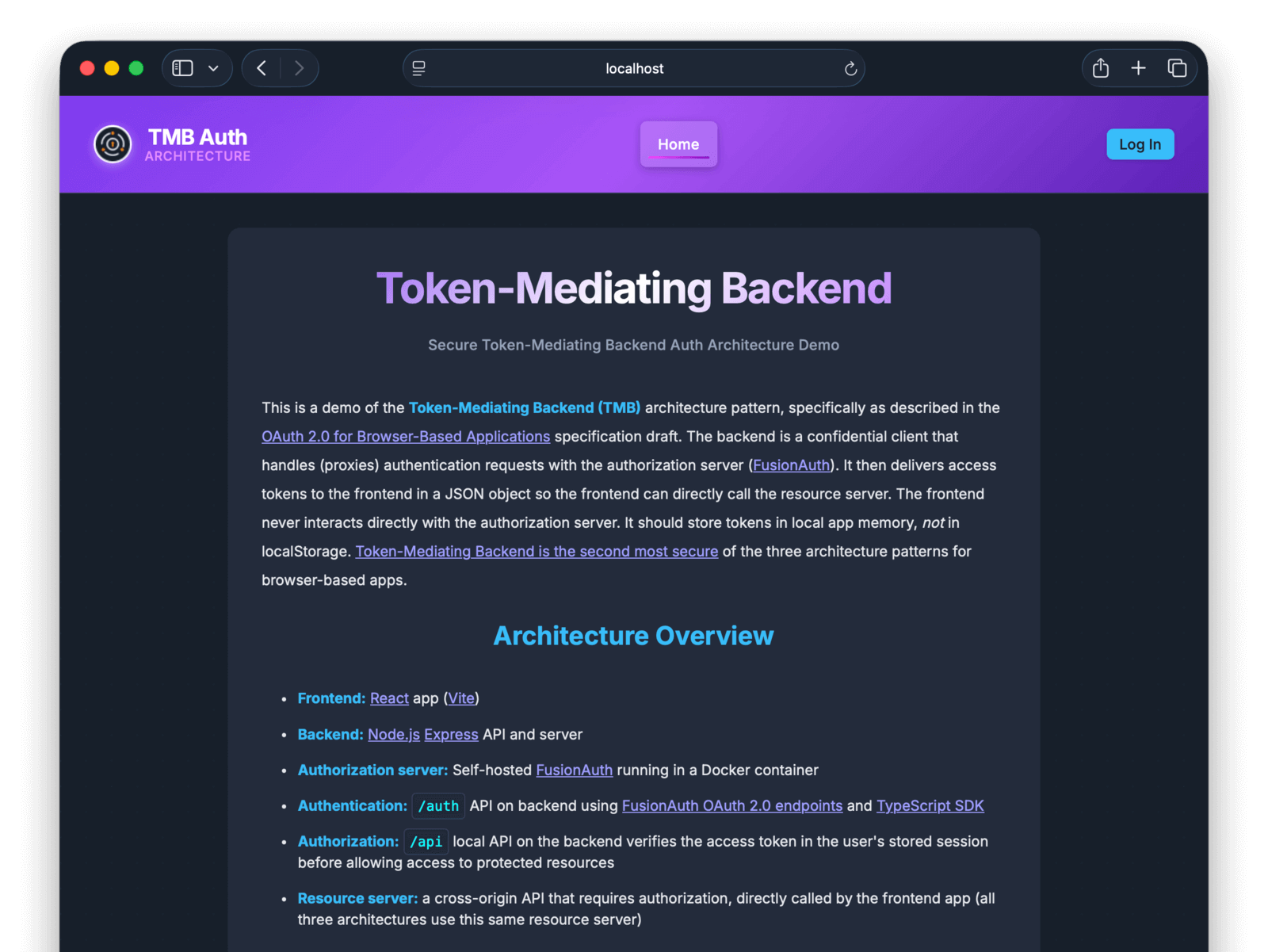
Browse to the frontend at http://localhost:5173.
-
Click the login button at the top right and log in with the test user
user@example.comand the passwordpassword.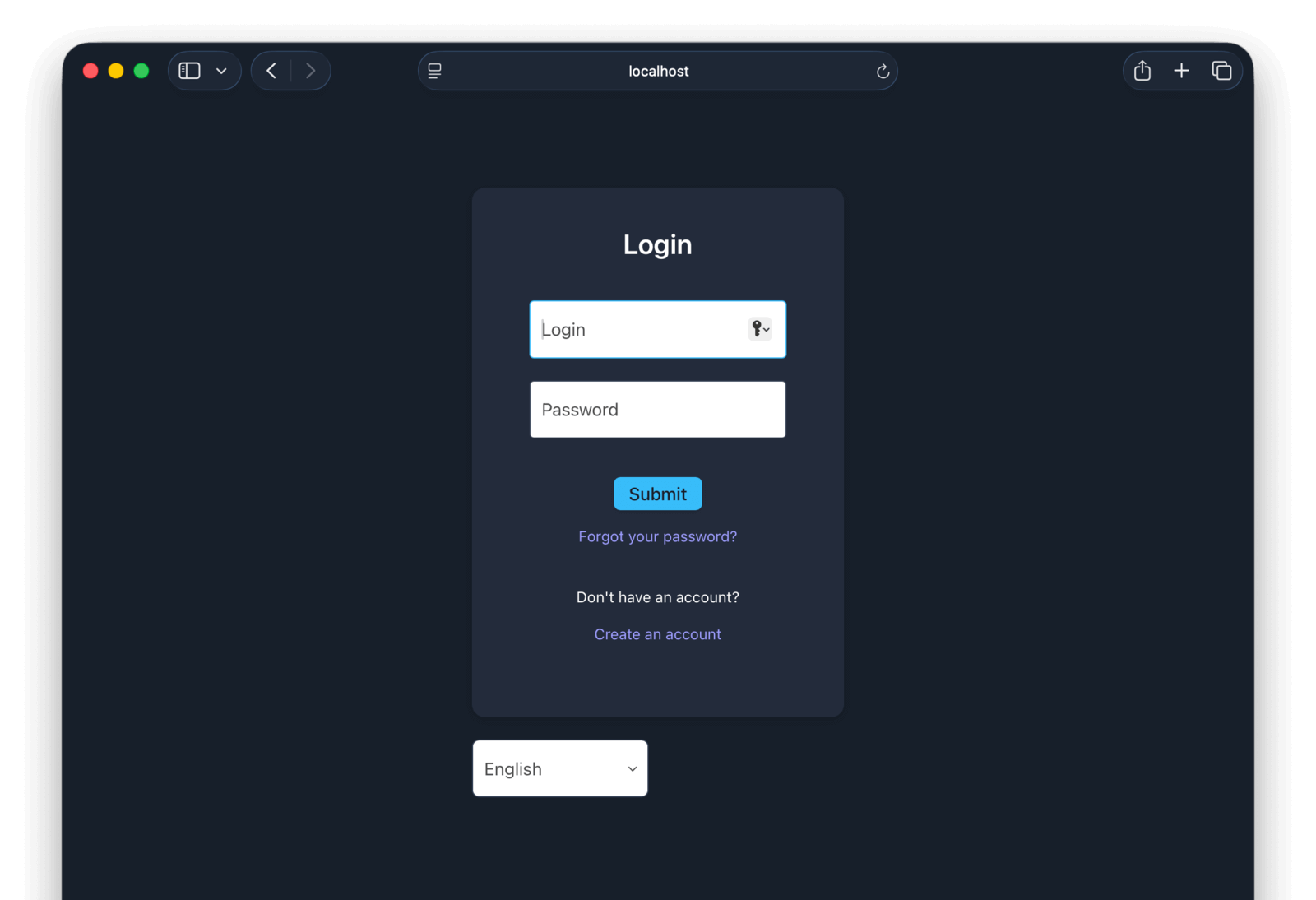
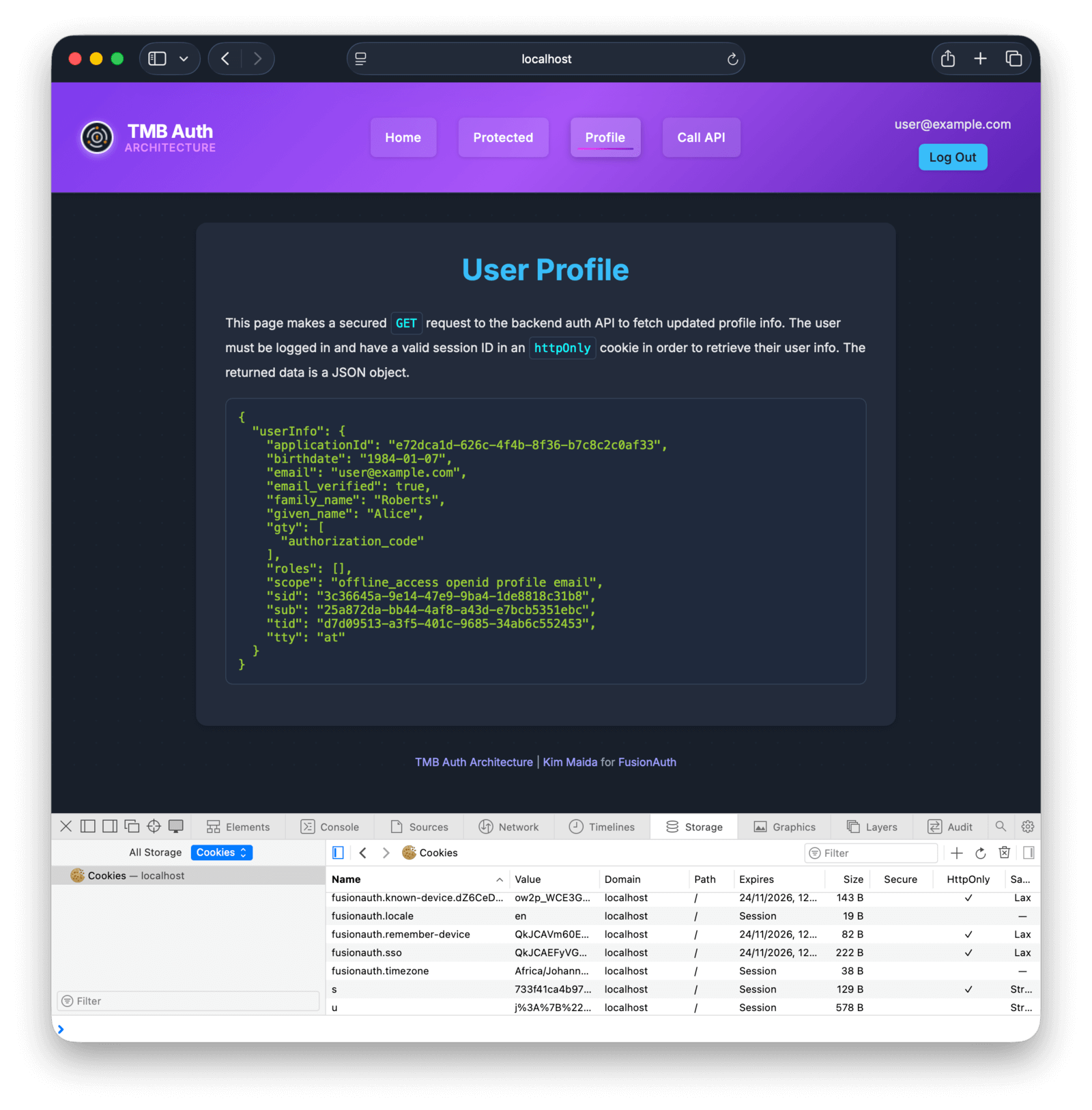
Once logged in, you can browse to private pages on the site. You can also see that all the FusionAuth authentication cookies are set as HttpOnly, so they can't be stolen. The access token is stored in application memory, which is cleared each time the app reloads or the page is refreshed.
Architecture Overview#
Let's take a quick look at how this app works under the hood.
The authentication provider, FusionAuth, stores user authentication details and provides the login page that the app redirects to. The user you logged in with, and the CSS styling, were created with a FusionAuth feature called Kickstart. The kickstart directory is a set of configuration files that allow you to start an instance of FusionAuth with premade users, applications, visual styles, and other settings.
The backend project is the most complex of the three architecture components. It handles the OAuth interaction between FusionAuth and the frontend, and provides the API that acts as a resource server. The backend is an Express.js server (server.ts) that handles authentication in auth.ts and the files in the utils directory. You should be able to understand the code by reading the flow process detailed in the README file.
The authentication flow is hand-coded in this example to make it understandable and explicit, but in reality you should use a library like Passport.js to do most of the OAuth 2 work. Passport handles only the interaction between your backend and FusionAuth, not between your backend and your frontend. The important part of TMB that Passport leaves to you is getting session management correct (utils/session.ts) and separating the refresh token on the server from the access token returned to the browser.
The frontend project is very simple. Its only dependency is the React.js ecosystem, and authentication is handled in services/AuthContext.jsx. FusionAuth provides an access token, and the frontend uses the access token to call APIs directly, without a proxy through the backend, both for same-origin and cross-origin APIs.
You can see the TMB API call logic in ResourceApiPage.jsx. The fetchRecipe() function passes the token to the resource server in the header of fetch calls:
fetch(`${resourceApiUrl}/api/recipe`,
  {headers: {'Authorization': `Bearer ${accessToken}`,
Summary#
The recommendation of this article, and the whole series, is to use BFF for authentication and authorization. BFF is far more secure than TMB and BBOC. You can only justify using TMB instead of a secure backend if your app needs near real-time speed or if you have an insurmountable infrastructure constraint.
If your authentication provider doesn't support BFF, you can implement one using FusionAuth for free, either as the Identity Provider itself or as merely the gateway that securely proxies authentication. See the BFF tutorial to learn how.
And if you absolutely must use TMB, combine it with DPoP (also supported by FusionAuth!) to reduce your risk profile.
Next in This Series#
The final post in this series discusses the third and least secure OAuth architecture: Browser-Based OAuth Client (BBOC). Learn how it works and the rare cases when you might choose to use it.
Further Reading#
Explore these resources for a deeper understanding of OAuth security architectures:
- The authentication architecture examples repository
- Part 1: Backend-for-Frontend security architecture
- Part 3: Browser-Based OAuth Client security architecture
- The history of BFF and the FusionAuth Hosted Backend
- The FusionAuth Hosted Backend example repository
- OAuth best practices summary
- OAuth 2.0 for Browser-Based Applications
- RFC 6749: The OAuth 2.0 Authorization Framework
- RFC 9700: OAuth 2.0 Security Best Current Practice
- RFC 9449: OAuth 2.0 Demonstrating Proof of Possession
- Evolving Auth Standards: Security Best Practices for App Developers
- OAuth 2.0 Demonstrating Proof of Possession (DPoP)
- Passport.js OAuth strategy
- The FusionAuth DPoP feature request