I'd like to update the user data object in the UI. I know I can do it via the API: https://fusionauth.io/docs/v1/tech/apis/users

dan
@dan
Principal Product Engineer at FusionAuth.
Enjoys ruby, java, php. Finds golang challenging.
Likes the authorization code grant, automation, stories and clear documentation.
Hiker, camper, gardener. Used to have chickens, now just tomatos.
Best posts made by dan
-
Is there a way to update user data in the UI?posted in Q&A
-
Seeking product feedback on FusionAuth's loggingposted in Announcements
FusionAuth's logging isn't one system, it's three: system/app logs on disk or stdout (monitor docs, troubleshooting), audit logs for admin UI changes via webhooks or the Audit Log API, and event logs for debugging surfaced through webhooks or the Event Log API.
None of them ship anywhere on their own, so if you want this in Datadog or Splunk, you're polling the API or writing your own ingester (by following doc, but still).
We're looking for feedback on this.
What's great about FusionAuth's logging, and what sucks or needs to be improved?
-
RE: Block authentication until user is verified?posted in Q&A
Is modifying the JWT via a lambda equivalent to accessing the verified property of the user profile?
Within a lambda, you have access to the user and registration properties. So you'd pull the
verifiedproperty from wherever you wanted and put it into the JWT as a custom claim. Here's a blog post about how that might work.So yes, it is the same data. It's the tradeoff between a bigger JWT and having to make the additional call from your API.
Don't forget that the JWT will live for a while, so if this sequence happens and you use the JWT, you might have a user with a verified email prevented from using the API.
- user registers
- JWT issued, with
verifiedset tofalsebecause the user isn't verified. - User verifies their email
- User visits API, but is denied because the JWT has stale data.
I don't know timelines and how long your JWTs live for, but this is something to consider. Does that answer your question?
-
RE: Trouble getting the user object post loginposted in Q&A
OK, we just released 1.18.8 and that is the version you want to use:
In
requirements.txt:fusionauth-client==1.18.8And then this is the call you want to make (with
client_idbeforeredirect_uri) :resp = client.exchange_o_auth_code_for_access_token(request.args.get("code"), client_id, "http://localhost:5000/oauth-callback", client_secret) -
Can I configure the inactivity timeout of the FusionAuth Session cookie?posted in Q&A
I have a quick question about FusionAuth and configuring the inactivity timeout of the session cookie it creates. Specifically... Is it possible?
-
RE: I want to send email from my docker imageposted in Q&A
I end up using a docker image of mailcatcher.
I use the default
docker-compose.yml, but use thisdocker-compose.override.yml:version: '3' services: mailcatcher: image: yappabe/mailcatcher ports: - "1025:1025" - "1080:1080" networks: - mailcatcher search: image: docker.elastic.co/elasticsearch/elasticsearch:7.8.1 environment: cluster.name: fusionauth bootstrap.memory_lock: "true" discovery.type: single-node FUSIONAUTH_SEARCH_MEMORY: ${FUSIONAUTH_SEARCH_MEMORY} ES_JAVA_OPTS: ${ES_JAVA_OPTS} # Un-comment to access the search service directly # ports: # - 9200:9200 # - 9300:9300 networks: - search restart: unless-stopped ulimits: memlock: soft: -1 hard: -1 volumes: - es_data:/usr/share/elasticsearch/data fusionauth: depends_on: - search - mailcatcher environment: SEARCH_SERVERS: http://search:9200 SEARCH_TYPE: elasticsearch networks: - mailcatcher - search networks: search: driver: bridge mailcatcher: driver: bridge volumes: es_data:Then I configure the SMTP settings to use the hostname
mailcatcherand the port1025. I can then send email and view it in the mailcatcher interface, atlocalhost:1080.Here's the relevant dockerfile: https://github.com/yappabe/docker-mailcatcher/blob/master/Dockerfile
Here's more about mailcatcher: https://mailcatcher.me/
-
RE: Error loading mysql backupposted in Q&A
I haven't seen that before.
Does this happen in your customized version of FusionAuth (where you've added a few applications and users) or the default version?
From looking at the mysqldump man page, maybe try
--hex-blob?You could try loading the schema from the .sql files ( https://fusionauth.io/direct-download/ ) and loading the data separately (that is, exporting with
--no-create-info). Again, that's a wild guess, not sure what the issue is, but some more investigation seems to make sense. -
RE: Having an issue with nginx in front of FusionAuthposted in Q&A
Ah, the answer is that Nginx defaults to HTTP/1.0 and if you are on a recent version of FusionAuth, this protocol is not supported by our HTTP server (HTTP 1.1 was, after all, released in 1997
 ).
).The remedy is to update your Nginx configuration to use a later protocol with this change:
proxy_http_version 1.1;Hope that helps.
Latest posts made by dan
-
RE: Sending an “inactive account, will be marked dormant” email in FusionAuthposted in Q&A
Not as a single feature, but doable with some glue code. FusionAuth has no built-in “inactivity warning” workflow or scheduler for this.
It does give you the pieces: a lastLoginInstant on every user, a user search API, an email send API, and user deactivation. You wire them together with a small scheduled job (cron, Lambda, GitHub Action, etc.) outside FusionAuth.
Set up a daily job that does three things:
- Finds users whose last activity was about 55 days ago and who haven’t been warned yet.
- Sends them the warning email and records that you did.
- Finds users who are 60+ days inactive and marks them dormant.
If a user logs in during the 5-day window, their lastLoginInstant updates and they drop out of the step 3 query automatically.
Use the User Search API with an Elasticsearch/OpenSearch query on lastLoginInstant (milliseconds since epoch). This needs the Elasticsearch/OpenSearch search engine. The database search engine doesn’t support range queries on this field.
POST /api/user/search
{
  "search": {
    "numberOfResults": 500,
    "query": "{\"bool\":{\"must\":[{\"range\":{\"lastLoginInstant\":{\"lt\":1760000000000}}}],\"must_not\":[{\"term\":{\"data.dormantWarningSent\":true}}]}}"
  }
}
Compute the lt value in your job as now - 55 days (so replace
1760000000000). Users who have never logged in won’t have alastLoginInstant, so decide whether to fall back toinsertInstantfor them.You can use FusionAuth to send the email or your own system. If you choose the former, create an email template in
Customizations → Email Templates, then call theSend Email APIwith the matching user IDs:POST /api/email/send/{emailTemplateId} { "userIds": ["<id1>", "<id2>"], "requestData": { "daysInactive": 55, "daysUntilDormant": 5 } }Your template body can then use FreeMarker:
Hi ${user.firstName!"there"},

As part of our routine account security measures, we monitor accounts for
inactivity. We haven't detected activity on your account in the last
${daysInactive} days, and it is scheduled to be marked dormant in
${daysUntilDormant} days unless activity is detected.

Log in to keep your account active: https://login.example.com
requestData values are available at the top level of the template, so you can reuse the template if you change the thresholds later.
After a successful send, patch the user to record that they've been notified so you don't send them multiple emails:
PATCH /api/user/{userId}
{
  "user": { "data": { "dormantWarningSent": true, "dormantWarningSentAt": 1760000000000 } }
}
The
must_notclause in the search query above then skips them. If the user logs in, clear the flag so they can be warned again in the future. Auser.login.successwebhook receiver that uses the API is a clean place to do that.As far as what you actually do when the user is marked dormant, you have two options:
- Deactivate the user.
DELETE /api/user/{id}(soft delete) setsactive=false, which blocks login. To reactivate, callPUT /api/user/{id}?reactivate=true. Deactivation also fires auser.deactivateevent that you can consume via webhook to notify downstream systems. - Flag only. Set
user.data.dormant = trueand handle it in your app where you might do a step-up or force an account recovery. This is gentler and keeps the account usable after a step-up.
For a true “close the account” outcome, deactivate first. Hard-delete (
?hardDelete=true) only after a retention period that satisfies your compliance requirements.Caveats:
lastLoginInstantupdates when a user authenticates. Silent token refreshes using an existing refresh token don’t necessarily count as logins, so a user with a long-lived session in your app could look inactive. If that matters, track your own activity timestamp inuser.data(updated by your app or a webhook) and query that instead. Test this against your own setup before relying on it.user.lastLoginInstantis global to the user within a tenant. Each registration also has its ownlastLoginInstant(user.registrations[].lastLoginInstant). If “inactive” should mean inactive in a specific application, query on that field and filter byapplicationId.Run the job daily and use a window, not an exact day match, so a missed run doesn’t skip anyone.
Page through search results (startRow) rather than assuming one page covers everyone.
Test with a user whose lastLoginInstant you’ve backdated in a non-production tenant.
Make sure your Send Email API key has only the endpoints it needs (search, send email, patch user, deactivate).
-
Sending an “inactive account, will be marked dormant” email in FusionAuthposted in Q&A
I want to email users after 55 days of inactivity, warn them they’ll be marked dormant in 5 days, and then mark them dormant.
Does FusionAuth do this out of the box?
-
RE: Data analysis of login/user data from FusionAuthposted in Q&A
You want to use FusionAuth webhooks to push data into your pipelines. I imagine the JSON will differ, so you might need to modify your mapping layer, but we should be able to provide the data you expect.
Here's our general webhook documentation.
Some events you might be interested in:
- User login success which includes the authentication method
- User login failure
- Two factor method added
- User create
Where possible, avoid transactional webhooks because you're using this for analytics and transactional webhooks impact workflow duration negatively.
You can also use the Search API to get adhoc counts/true things up, but it won't necessarily have the richness of data of the webhooks.
-
Data analysis of login/user data from FusionAuthposted in Q&A
Our data team has enjoyed lots of data points and insights from our existing auth solution. Specifically around users, data like:
- sign in type (Apple login, Google login, phone number, emails)
- MFA enabled/disabled
- what kind of MFA
- registration info
We have data pipelines set up to ingest and turn this data into meaningful insights for the business.
We want to make sure we maintain these important insights. How can we do this?
-
RE: lastLoginInstant data lost during upgrade from 1.57.0 to 1.59.1posted in Q&A
Hiya @florent-bossuyt ,
Thanks for using FusionAuth.
The upgrade to 1.59.0 added support for phone number as a first class identity. While I don't know for sure, it is possible that impacted
lastLoginInstant. I'm not aware of any bug filed.It's also possible you can find the data previously in the
lastLoginInstantin theuser.identities[x].lastLoginInstantvalue, available when you retrieve a user.Since this is not a known issue, there's no documented procedure for reconciling the data, unfortunately.
Here's one approach, though.
If you have a database backup of the 1.57.0 release, you could stand up a FusionAuth instance pointing to that, and find all the users with a
lastLoginInstantthat is not null (set A). You'd then run the same query against your prod instance (set B). Then find the folks in set A who are not in set B (call them set C). Set C are the people you need to update.Unfortunately, you can't update their
lastLoginInstantdirectly. But you can fake a login using the passwordless APIs, which should set it. That is outlined here.So you'd want to perform that for all the users in set C.
Hope that helps.
-
RE: Creating User without Passwordposted in Q&A
As of version 1.59.0, you can create users without passwords.
-
RE: Additional authentication assurance without using step-up MFAposted in Q&A
You can use the linked APIs, and that’s the option most people find first. The step-up flow in the API docs works, but means your app owns the challenge. It has to start it, collect the code, and handle the result. That’s a lot for what is basically “make the user log in again because they are about to do a sensitive thing.”
There’s another way that’s a little different, and it leverages login. Since version 1.60 the
authorizeendpoint supports the standard OIDCpromptandmax_ageparameters.When your app hits a sensitive action, don't call any specific APIs. Instead, it can redirect the user to /oauth2/authorize with
prompt=loginand/or with amax_agesmall enough that their existing SSO session doesn’t satisfy it. FusionAuth shows the hosted login page, the user authenticates, and you get a fresh token back. Same code you already wrote for login, with one query parameter added.Make sure you put the current page/location in the state so you can deliver the customer back to where they were. Here's a video on deep linking.
Using either
max_age=0andprompt=loginend up in roughly the same place. I’d usemax_ageif you want a window like “re-auth if it’s been more than five minutes,” andprompt=loginif you want it every time.A successful redirect doesn’t prove everything. Your app still has to decide whether the token it’s looking at came from a recent authentication.
That’s what the
auth_timeclaim is for. It’s a reserved claim in the JWT body (it moved there in 1.60, and lambdas can’t override it), so your resource server compares it against the clock and rejects beyond your threshold. If it’s too old, send the user back throughauthorize.That’s basically the
max_agehalf of RFC 9470, just without FusionAuth issuing theWWW-Authenticatechallenge for you. You’d write that 401 yourself.Caveats:.
- This forces a re-login, not necessarily a stronger one. If the user re-authenticates with a password and nothing else, you’ve proven recency and nothing about strength. If you need the second factor on that re-auth, you need MFA to actually fire. A static policy of
Requiredwill do it. On Enterprise, the MFA Requirement Lambda can make the decision per request. - There’s no
acr-style “this was step-up” claim. You get “authenticated at time T,” not “authenticated with a second factor at time T.” If your auditors need the latter, this approach won’t give it to you cleanly, and falling back to the step-up auth API is a better option. - It’s a full redirect. For a banking-style “confirm this transfer” flow where bouncing the user to another page is a non-starter, the step-up API approach is still right.
- This only works when you are using the hosted login pages, not the Login API.
The short version: if sensitive actions are coarse-grained (“view the billing page,” “change the email address”), the redirect approach might work for you. It’s less code, the hosted pages handle the UI, and you’re not maintaining a custom MFA challenge.
But if you need per-operation binding or proof of which factor was used, look at the step-up API.
- This forces a re-login, not necessarily a stronger one. If the user re-authenticates with a password and nothing else, you’ve proven recency and nothing about strength. If you need the second factor on that re-auth, you need MFA to actually fire. A static policy of
-
Additional authentication assurance without using step-up MFAposted in Q&A
I need the user to prove they’re still the user before a sensitive action. Do I really have to wire up the Two-Factor APIs to use step-up MFA auth to do that?
-
RE: Adding a 'sign up or login CTA' to your pages for unauthenticated usersposted in Q&A
This is going to vary based on your publishing system, but you can use FusionAuth's OIDC
prompt=noneto see if users have an active SSO session.If the user has checked
remember meand has logged in within the tenant session timeout, the request will succeed, otherwise it will fail.Step 1: Main Page
This creates the iframe and listens for the result.
On your main page, create the hidden iframe targeting FusionAuth with
prompt=none. You also listen for a message event from the iframe to know whether to display or hide the CTA <div>, which needs the idtrial-cta:// 1. Listen for the result sent back from the iframe callback page window.addEventListener('message', (event) => { // Verify the origin matches your application domain for security if (event.origin !== window.location.origin) { return; } const ctaDiv = document.getElementById('trial-cta'); if (event.data && event.data.type === 'SILENT_AUTH_RESPONSE') { if (event.data.status === 'authenticated') { // User has an active SSO session; keep CTA hidden if (ctaDiv) { ctaDiv.style.display = 'none'; } } else if (event.data.status === 'login_required') { // User is not authenticated; show the trial CTA popup/div if (ctaDiv) { ctaDiv.style.display = 'block'; } } } }); // 2. Create the hidden iframe to initiate the prompt=none request const iframe = document.createElement('iframe'); iframe.style.display = 'none'; iframe.src = 'https://<your-fusionauth-instance>/oauth2/authorize?' + 'client_id=<YOUR_CLIENT_ID>&' + 'response_type=code&' + 'redirect_uri=https://<your-app-domain>/silent-callback.html&' + 'scope=openid&' + 'prompt=none&' + 'state=<YOUR_STATE>'; document.body.appendChild(iframe);Step 2: Callback Page
Configure this page as an authorized redirect URI in your FusionAuth application [Request Parameters].
When FusionAuth redirects back with the authorization code code or
error=login_required, this page parses the URL and communicates back to the parent window:// Parse query parameters from the redirect URI const params = new URLSearchParams(window.location.search); const code = params.get('code'); const error = params.get('error'); if (code) { // Session exists: notify the parent window window.parent.postMessage({ type: 'SILENT_AUTH_RESPONSE', status: 'authenticated', code: code }, window.location.origin); } else if (error === 'login_required') { // No active session: notify the parent window to show CTA window.parent.postMessage({ type: 'SILENT_AUTH_RESPONSE', status: 'login_required' }, window.location.origin); }Cautions And Additional Considerations
This won't work across all browsers, especially those with privacy features or if your FusionAuth instance isn't on the same root domain as the application. More details here.
Test the scenarios you need to support.
The CTA should include information about how to sign up or log in if the user already has an account.
You may want to add server or client side logic to obfuscate the page contents.
-
Adding a 'sign up or login CTA' to your pages for unauthenticated usersposted in Q&A
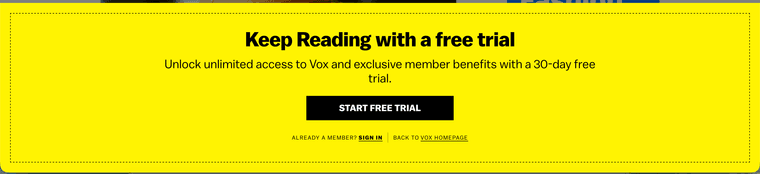
How can I add a CTA to get users to log in to my news site, like this one from vox?