Delete a Deployment
On this page
You can delete a FusionAuth Cloud deployment at any time to stop billing and delete your data. For Business and High Availability deployments, FusionAuth retains a backup for a maximum of 30 days. For Basic deployments, no backups are available.
Prerequisites#
Before destroying a deployment, back up your user data and configuration. You can retrieve your configuration using the APIs.
See Accessing User Data for more about retrieving user data and passwords.
Delete a deployment#
To delete a FusionAuth deployment:
- Log into your account at account.fusionauth.io.
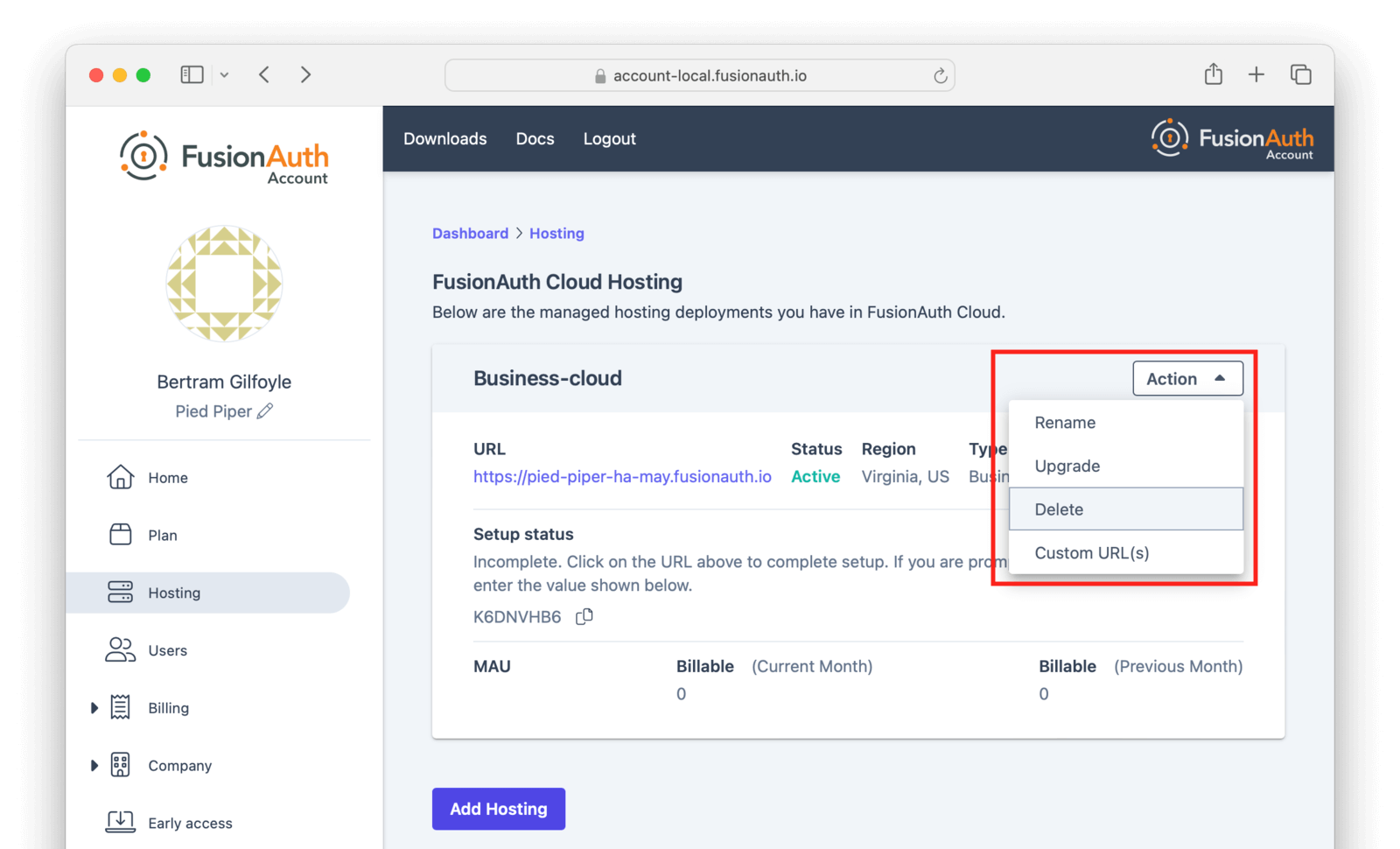
- Navigate to the Hosting page. Click the Action button, and select the Delete option from the dropdown:
- Confirm your decision by typing
DELETEin the Confirm box. - After confirmation, the deployment will transition to the Destroying state.
- After the deployment is completely removed, it will have a "Destroyed" state on the Hosting page. At this point you will no longer be charged for this deployment.
- If you configured custom domains, remove the DNS records you added.
Related
Learn how to create a FusionAuth Cloud account.
Learn how to delete your FusionAuth Cloud account.
Learn about the account portal, where you can manage account data, deployments, and licenses.
Learn about the pros and cons of FusionAuth Cloud compared to self-hosted FusionAuth.